

















Property Maintenance Software Loader

Property Maintenance Software for
Managers & Contractors

Hundreds of work orders across dozens of buildings — leaking taps in Block A, a lift inspection due in
Block C, and an owner asking why last month's costs went up. EyeOnTask puts every property, work order,
contractor and invoice in one place, so nothing slips and every job is billed.

No credit card   •   No setup fee   •   Cancel anytime

Best Field Management Software for your property maintenance business

We serve these big league companies
Multi-Location Clients

One client, many buildings —
every unit under control

Property groups don't have one address, they have dozens. In EyeOnTask you link multiple locations — buildings, blocks, floors, units — to a single client, so every work order, contract and invoice lands against the right property automatically.

Unlimited locations per client — buildings, units, floors and common areas.

Link Equipment (lifts, pumps, HVAC units, fire panels) to each location with full service history.

Client Call History & Service Tracking per building — see every visit at a glance.
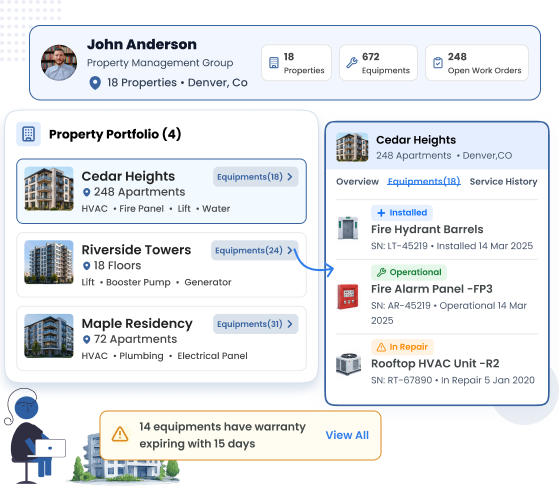
"Warranty expires within 15 days" widget flags equipment before cover runs out.

Property Maintenance Multi-Location Client Management
Property Maintenance Work Order Management
Work Order Management

Raise, assign, track and close
every work order

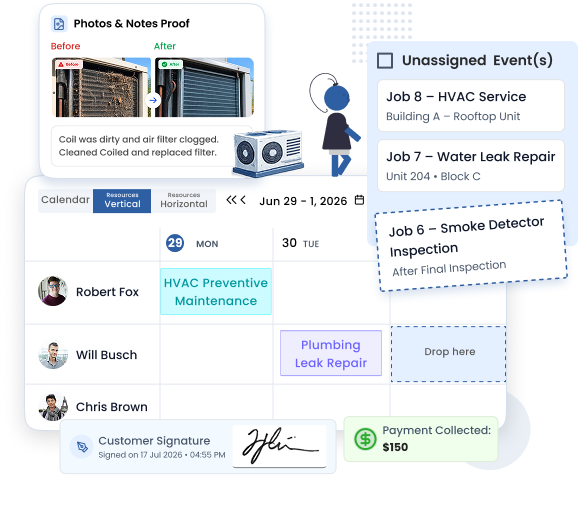
A tenant reports a leak. In seconds, the request becomes a work order with photos, notes and priority — dispatched to the nearest available contractor. Your office sees status change in real time until the job is closed with an electronic signature.

Job Dispatching with drag-and-drop scheduling and priority flags.

Fieldworkers attach photos and notes before and after the fix — proof for owners and tenants.

Material requests and component-level inventory keep spare parts tracked per job.

Close with electronic signature and payment collection on the field.

Planned Preventive Maintenance

Recurring maintenance
schedules for every property

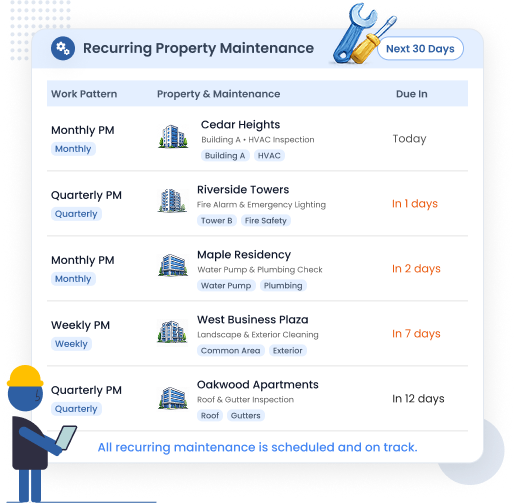
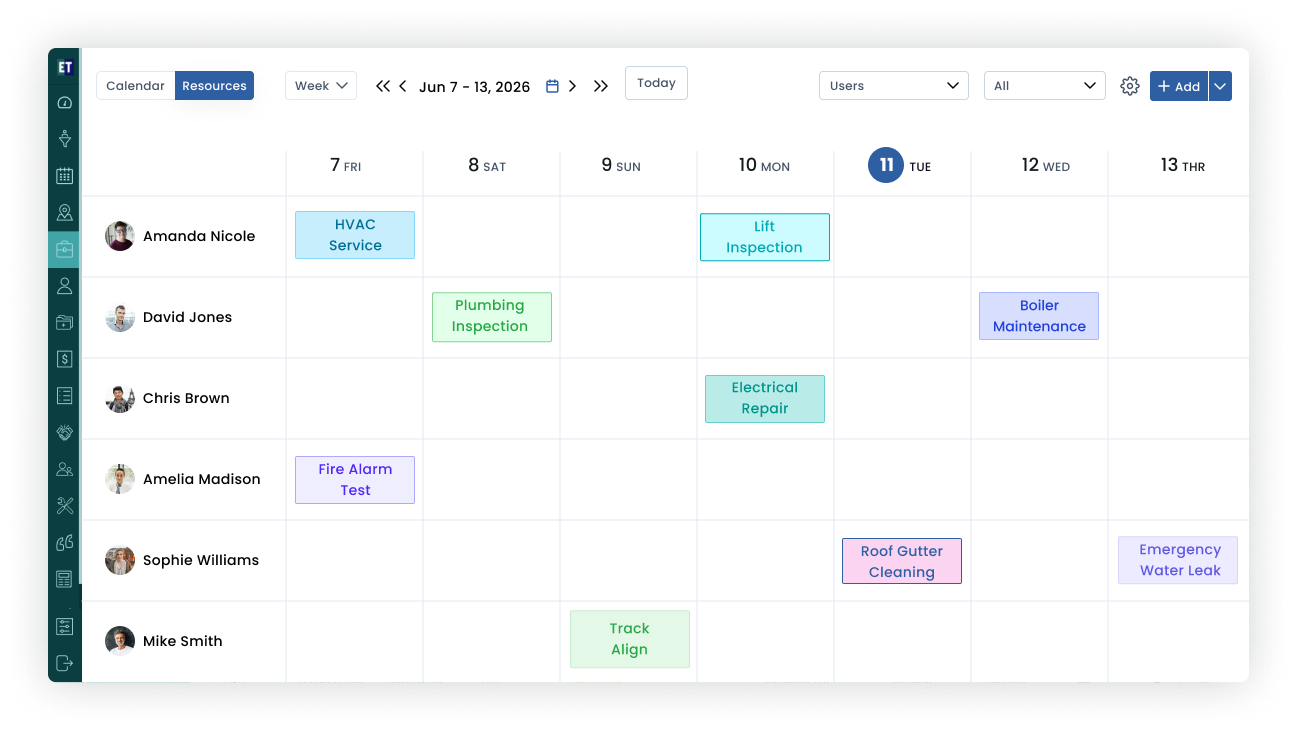
Lift inspections, fire safety checks, HVAC servicing, gutter cleaning — preventive maintenance is a calendar problem multiplied by every building you manage. EyeOnTask auto-creates recurring jobs on the schedule each property needs, so compliance dates never arrive unannounced.

Weekly, monthly, quarterly or custom Work Patterns per building.

Next job auto-created and pre-assigned to the right technician or contractor.

Diagnosis and inspection checklists (custom forms) attached to every visit.

Job Time Tracker records actual vs planned duration per site.

Property Maintenance Preventive Maintenance Schedule
Property Maintenance Service Agreements AMC
Contracts (AMC)

Service agreements managed
per building

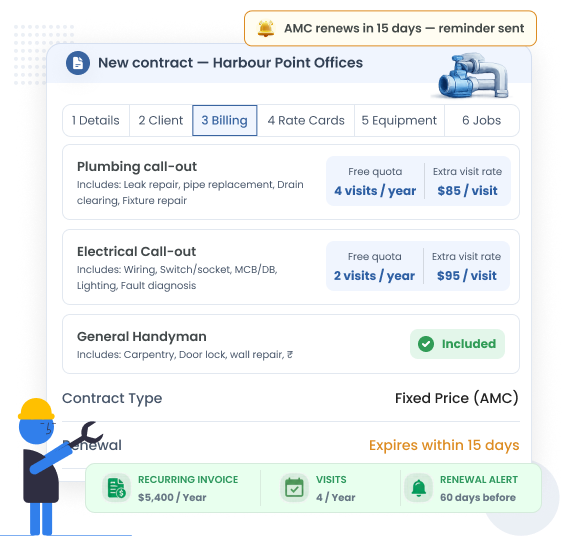
Annual maintenance contracts are how property work becomes predictable revenue. Set up Fixed Price or Service Based contracts per building, define Rate Cards with a free visit quota, and let EyeOnTask flag renewals before they lapse.

Fixed Price / Service Based contracts (AMC) with per-building terms.

Rate Cards with free quota — extra visits billed automatically at contract rates.

Renewal alerts and audit trail for every agreement.

Quotations/Estimations flow straight into contracts and invoices.

Customer Portal

Tenants raise tickets themselves
— 24/7

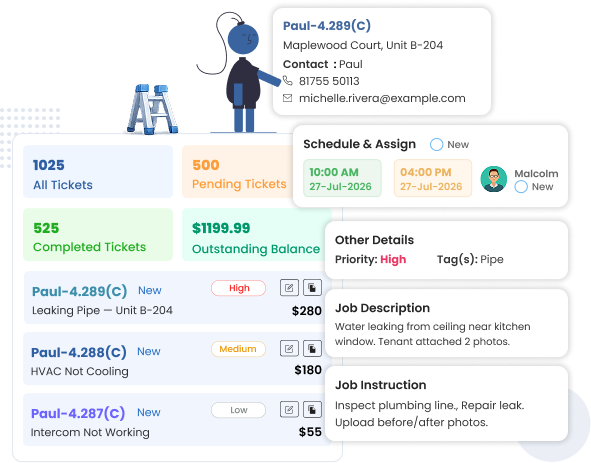
The 11 PM "my heating is broken" call doesn't have to be a call at all. With the EyeOnTask Customer Portal, tenants and property managers log requests any time, attach photos, pick the building and unit, and watch progress live — while your phone stays quiet.

Self-service ticket creation with photos, unit selection and priority.

Live status tracking — tenants stop calling to ask "is it done yet?".

Property managers see all open requests across their buildings in one view.

Feedback collected automatically when the job closes.

Property Maintenance Customer Portal Tenant Tickets
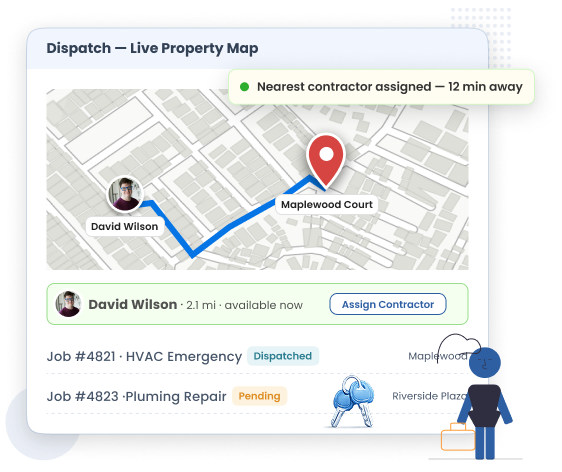
Property Maintenance Contractor GPS Tracking
Contractor Tracking

Know where every contractor is —
and how long jobs really take

When an owner asks "has anyone been to site?", you shouldn't have to ring around. Live GPS shows every fieldworker on the map, and the Job Time Tracker logs travel, on-site time and completion — building an honest record per contractor and per property.

Live GPS map of technicians and subcontractors across your portfolio.

Automatic time logs: dispatched → travelling → on site → completed.

Assign the nearest available worker to urgent tickets.

Expense Management for mileage, parking and materials per job.

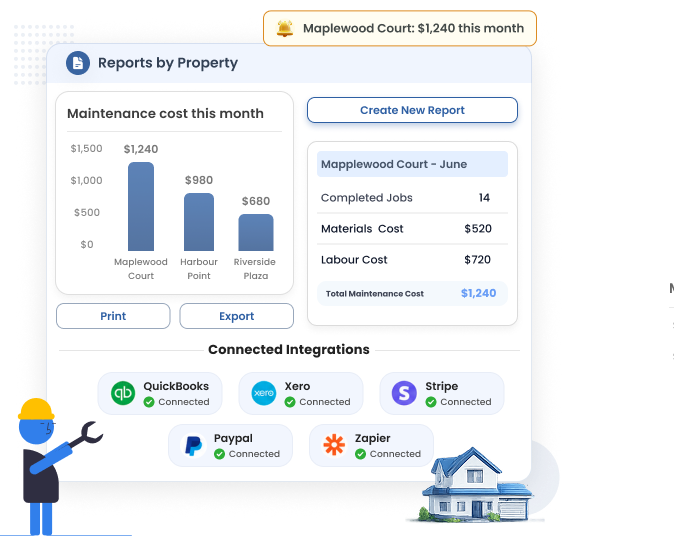
Reports Per Property

Costs, jobs and response times —
by building

Owners want numbers, not stories. EyeOnTask breaks down maintenance cost, jobs completed, materials used and average response time per property — ready to export for owner meetings or sync to QuickBooks and Xero for accounting.

Cost and job reports filtered by building, client, date range or job type.

Invoicing & Billing per property with line items, tax and signatures.

QuickBooks, Xero, Stripe, PayPal and Zapier integrations.

Audit trail on every job, quote and invoice.

Property Maintenance Cost and Job Reports
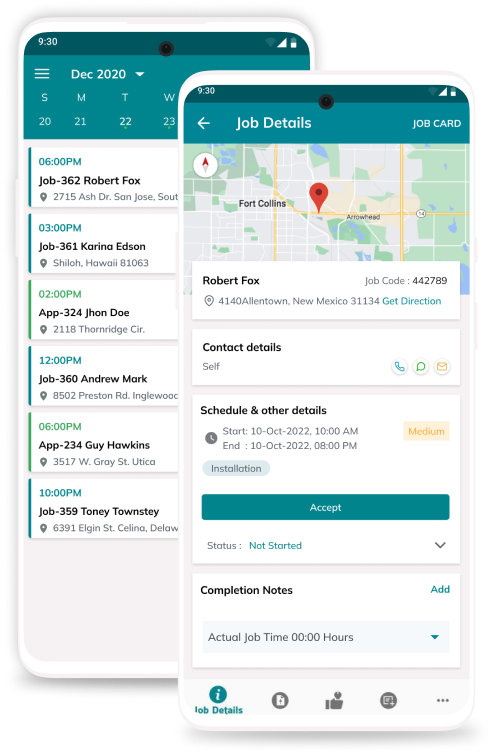
EyeOnTask mobile-app

Built to work where maintenance work happens.

Basements, plant rooms, stairwells with no signal — the EyeOnTask app is offline-first, so contractors keep working and everything syncs the moment they're back in coverage.

Full job details, checklists, photos and signatures — even offline.

Raise invoices and collect payment on the field.

Multi Language Support for mixed contractor teams.

Our Unmatchable Features

Every tool a property maintenance business needs — from work orders and
invoicing to contracts, equipment and audits. Pick the plan that matches how you work.

Pricing that grows with your portfolio.

Start small, upgrade only when your buildings need more.
Free Trial Included

EyeOnTask for Property Maintenance

$ 7 /user/month

starting price • save 20% on yearly billing

  • Work orders, scheduling, invoicing & inventory from day one
  • Free 15-day trial — no credit card, no setup fee
  • Android & iOS fieldworker apps included
  • Customer Portal, Contracts (AMC), Equipment & more on higher plans
  • Cancel anytime — your data stays yours

Manage whole process in just 4 simple steps.

  • Create Job Property Maintenance Software

    Create Job

  • Property Maintenance Software Fieldworker

    Assign to fieldworker

  • Property Maintenance Software Invoice

    Raise invoice

  • Property Maintenance Software Feedback

    Get feedback

Property Maintenance Software FAQs

What is property maintenance software?

Property maintenance software is a tool that helps property managers, landlords and maintenance contractors manage work orders, recurring maintenance schedules, contractors, inventory and invoicing across multiple properties from one place. EyeOnTask lets you link multiple buildings and units to a single client, raise and dispatch work orders, track fieldworkers with GPS, manage service contracts (AMC) per building, and generate cost reports per property.

Can tenants or property managers raise maintenance requests themselves?

Yes. With the EyeOnTask Customer Portal, tenants and property managers can log in 24/7 to raise maintenance tickets, attach photos of the issue, choose the affected building or unit, and track the status of their request in real time — without calling your office. Every portal ticket lands in your job board ready to be assigned.

How do I schedule recurring preventive maintenance across multiple buildings?

In EyeOnTask you can create recurring job schedules per property — weekly, monthly, quarterly or on custom Work Patterns. The system auto-creates the next job for each building (lift inspection, fire safety check, HVAC servicing, gutter cleaning) and assigns it to the right technician or contractor, so planned preventive maintenance never slips through the cracks.

Can I see maintenance cost reports per property?

Yes. EyeOnTask reports break down jobs completed, materials used, technician time and total maintenance cost per property or per client location. You can filter by building, date range or job type, and export the data to share with owners — or sync invoices to QuickBooks or Xero for accounting.

Thanks for writing to us, we will try and get back to you as early as possible, if you have more question use the same form and send another email.
EyeOnTask contact us
Contact Us
Reach out to our friendly team to learn more about EyeOnTask
Full Name*
Email*