


















Painting Contractor Software Loader

Painting Contractor Software for
Residential & Commercial Painters

Quotes stuck in someone's inbox, crews double-booked after a rain delay, paint receipts lost in the van,
and invoices sent weeks after the final coat. EyeOnTask puts estimates, crew scheduling, time & expense
tracking, and invoicing for your painting business in one place — office and on-site.

No credit card   •   No setup fee   •   Cancel anytime

Best Field Management Software for your painting business

We serve these big league companies
Quotations / Estimations

Estimates that win the job — labour hours and paint, line by line

Walk the property, build the estimate on your phone, and send it before you're back in the van. Break it down the way painters actually price work: prep, labour hours per room or per elevation, and paint & material line items — so the client sees exactly what they're paying for.

Line items for labour hours, primer, emulsion, masking and sundries — with your Rate Cards applied automatically

Clients approve digitally with an electronic signature from any device — no printing, no chasing calls

Approved estimate converts to a job in one click, then to an invoice when the work's done
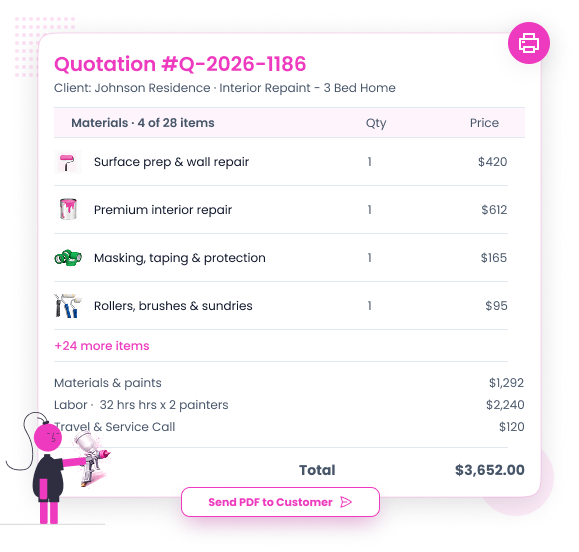
Quotation → approval → job → invoice, all tracked against the same client record

Painting Contractor Quotation Software
Mixed Trade Jobs
Job Scheduling & Dispatching

Multi-day projects, multiple crews, zero double- booking

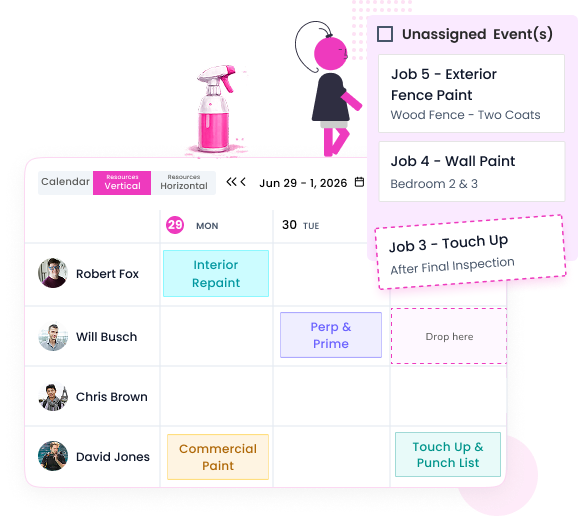
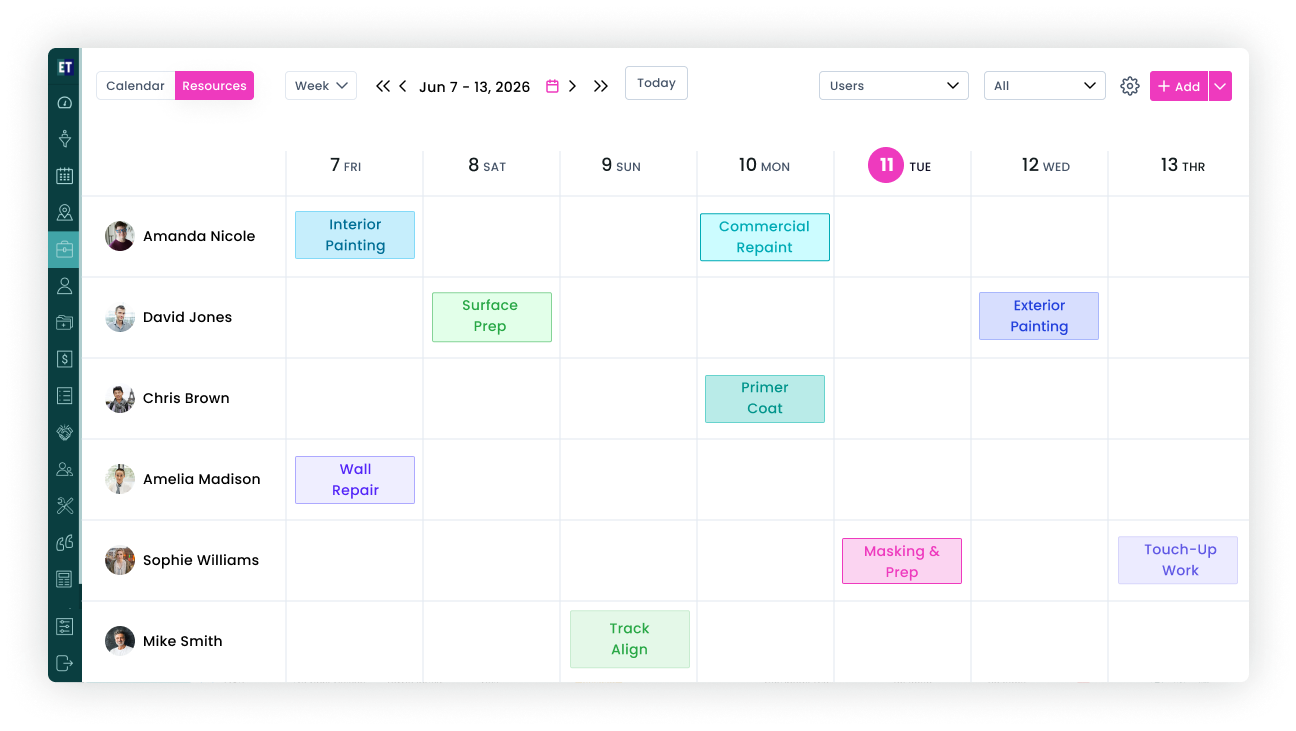
A commercial repaint runs Tuesday to Friday; a residential job needs two painters Thursday morning; then the rain arrives. See every crew on one board, assign painters by availability and Work Patterns, and reshuffle the week with a drag and a drop.

Schedule projects across multiple days and split them between crews without spreadsheet gymnastics

Drag-drop rescheduling — move a rained-out exterior job to Monday and every painter is notified instantly

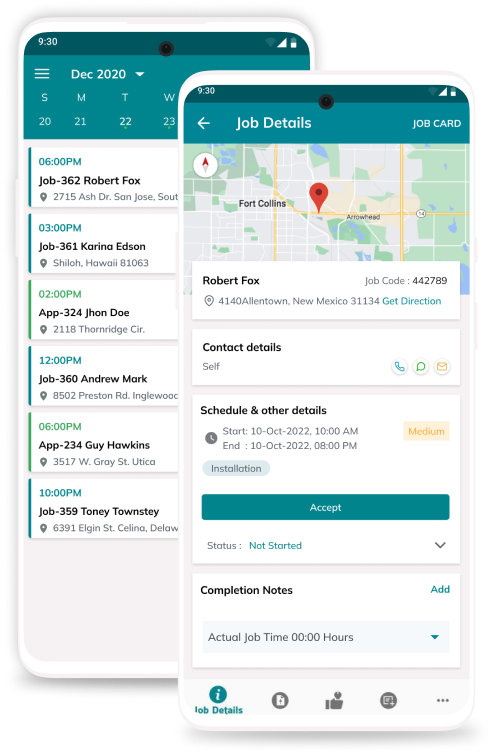
Job Dispatching sends the address, scope, colours and notes straight to the technician's mobile app

Client Call History & Service Tracking keeps every site visit against the property record

Job Time Tracker

Actual hours vs estimated — know your profit on every job.

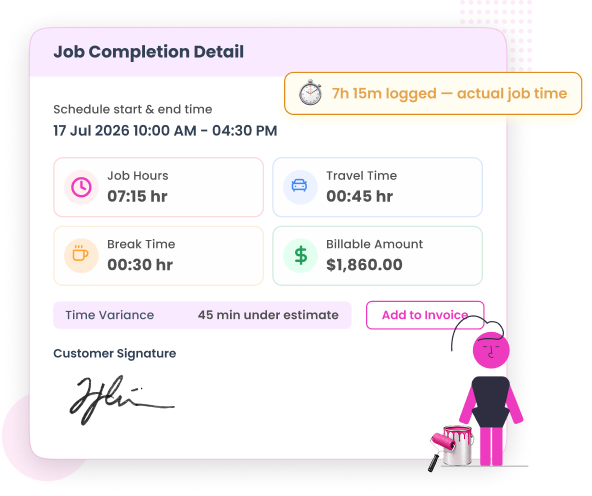
You quoted 32 hours. Did the crew take 29 — or 41? Painters clock in and out of each job from the mobile app, and EyeOnTask lays actual hours against your estimate, so you know which jobs make money and which quotes need fixing.

One-tap clock-in/clock-out per job from the field — even offline, syncing when signal returns

Estimated vs actual hours side by side, per job and per painter

Spot the pattern: if exterior prep always overruns, your next quote reflects it

Timesheets flow straight into payroll and job costing — no Sunday-night data entry

Painting Contractor Job Completion
Electronic Signature & Job Proof

Before/after photos and customer sign-off — on the spot

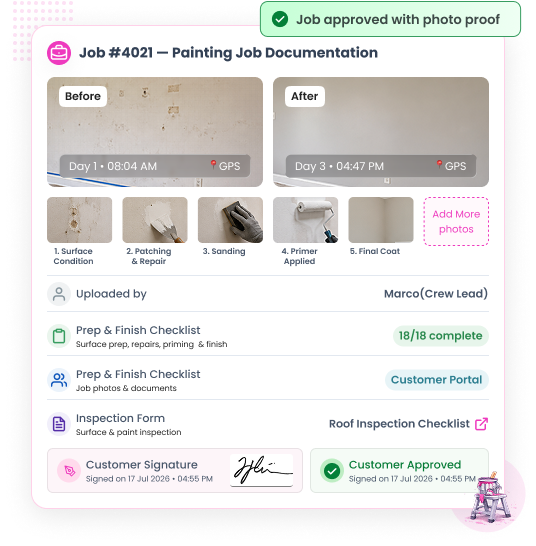
"That scuff was already there." "You missed the ceiling trim." End the disputes: your painters attach before and after photos to the job, walk the client through the finish, and capture an electronic signature on completion — all from the mobile app.

Photos time-stamped and stored against the job, wall by wall if you want

Diagnosis and prep checklists via custom forms — surface condition logged before the first coat

Customer signs off on-site; the signature lands on the job record and the invoice

Completed-job proof protects you on warranty callbacks and deposit disputes

Expense Management

Every litre of paint billed
to the right job

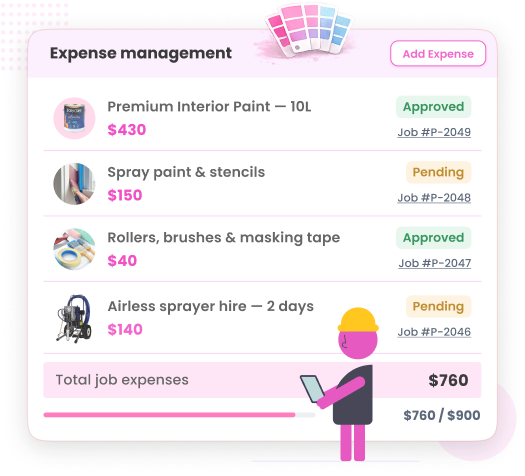
Paint runs, sprayer hire, sandpaper, the extra tin of trim gloss picked up mid-job — small costs that quietly eat your margin when they land in a shoebox of receipts. Painters log expenses against the job as they happen; you see true job cost in real time.

Log paint and supply expenses from the field with a photo of the receipt

Inventory Management tracks paint stock, sub-parts and material requests from the van to the store

Approve or query expenses before they hit the job cost — no month-end surprises

Costs flow into job profitability and sync with QuickBooks or Xero

Painting Contractor Expense Management
Painting Contractor Customer Portal
Customer Portal

Clients watch the project move — instead of calling you

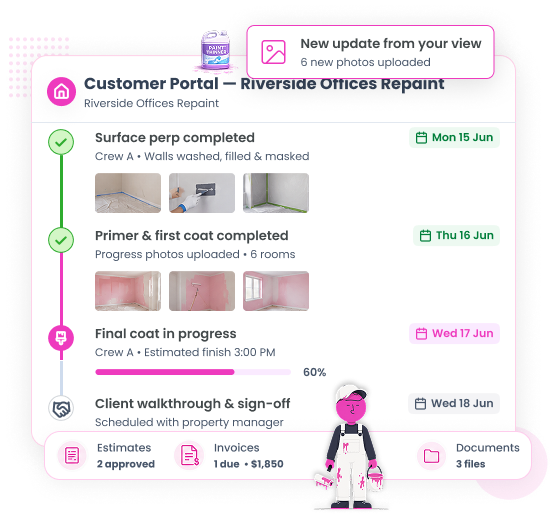
On a week-long commercial repaint, the property manager wants updates. Give them a login instead of your mobile number. The Customer Portal shows live job status, progress photos, approved estimates and invoices — professional, transparent, and zero effort from you.

Clients see each stage: prep, first coat, final coat, walkthrough — updated by your crew from the field

Estimates, approvals, invoices and payment history in one client- facing view

Contracts (AMC) for repeat maintenance painting — Fixed Price or Service Based, renewals tracked

Fewer "any update?" calls, more repeat commercial work

Invoicing & Payment Collection

Deposit up front, balance on completion — paid before you leave

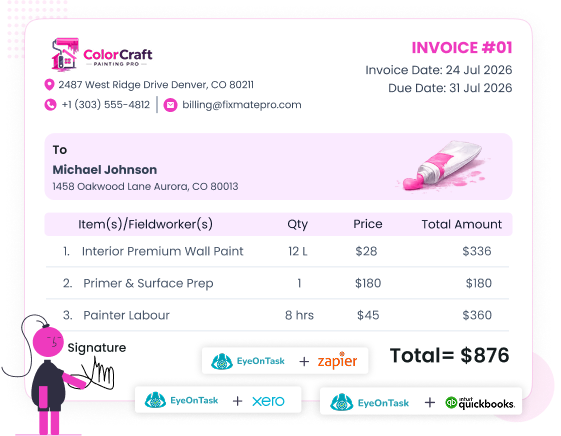
Big paint orders shouldn't come out of your pocket. Take a deposit when the estimate is approved, collect partial payments on multi- week projects, and raise the final invoice from the approved estimate the moment the client signs off — then get paid on the field.

Deposits and partial payments tracked against each project milestone

Payment collection on the field — card, cash or online via Stripe and PayPal

Invoice generated from the approved estimate with photos and signature attached

Two-way sync with QuickBooks and Xero; automate the rest with Zapier

Painting Contractor Pricing Plans
Built to work where painters work — even three floors up with no signal
Basements, stairwells, half-built commercial units — coverage is never guaranteed. The EyeOnTask mobile app is offline-first: your painters see their jobs, clock time, log paint used, capture photos and collect signatures without a connection, and everything syncs the moment they're back online.

Full job details, colours and site notes in every painter's pocket

Clock in/out, expenses, photos and signatures — all offline-capable

Multi Language Support so every crew member works in their own language

EyeOnTask mobile-app

Our Unmatchable Features

Streamline your painting business with smart tracking, digital estimates, crew scheduling, and on-site invoicing. Choose the ideal plan to cut administrative delays, boost job profitability, and deliver a flawless finish every time.
Simple pricing. Start at just $7.
Free 15-day trial • No credit card • No setup cost • Free training
Free Trial Included

EyeOnTask for Painting Contractors

$ 7 /user/month

starting price • save 20% on yearly billing

  • One of the lowest starting prices in field service software
  • Free trial — no credit card, no setup fee
  • Offline-first mobile app for every painter
  • Upgrade anytime as your painting business grows
  • Cancel anytime — no lock-in contracts
Manage whole process in just 4 simple steps.
  • Create Job Painting Contractor Software

    Create Job

  • Painting Contractor Software Fieldworker

    Assign to fieldworker

  • Painting Contractor Service Software Invoice

    Raise invoice

  • Painting Contractor Service Software Feedback

    Get feedback

Painting Contractor Software FAQs

What software do painting contractors use?

Painting contractors use field service management software like EyeOnTask to run the whole job cycle in one place: building estimates with labour hours and paint line items, scheduling multi-day projects across crews, tracking time and expenses per job, sharing progress with clients through a customer portal, and invoicing with deposits and partial payments. EyeOnTask plans start at just $7/user/month with a free trial, making it one of the most affordable options for both residential and commercial painting businesses.

Can I track hours and material costs per painting job?

Yes. EyeOnTask's Job Time Tracker records the actual hours your painters spend on each job so you can compare them against the hours you estimated. Expense Management lets you log paint, sundries, sprayer hire and every other cost against the specific job it belongs to. Together they show you the real profitability of every project before you send the invoice.

How do clients approve estimates and see project progress?

You send estimates from EyeOnTask and clients approve them digitally with an electronic signature - no printing, no chasing phone calls. Through the Customer Portal, clients can log in any time to see the status of their painting project, view progress updates and before/after photos, approve quotations, and check invoices and payments.

Does it work for both residential and commercial painting?

Yes. Residential painters use EyeOnTask for quick quotes, single-property scheduling and on-site payment collection. Commercial painting companies use multi-day project scheduling, crew assignment, contracts (AMC) for repeat maintenance painting, rate cards for negotiated pricing, and partial payments tied to project milestones. With plans starting at just $7/user/month, there's an affordable fit for both.

Thanks for writing to us, we will try and get back to you as early as possible, if you have more question use the same form and send another email.
Contact EyeOnTask Painting Contractor Software Support
Contact Us
Reach out to our friendly team to learn more about EyeOnTask
Full Name*
Email*